
Start Your Livestream or Agency Registration Here
Love being part of the conversation? Join Crush Live as a host. Love building and managing a team? Register as an agent and build your team. Choose your role, and let’s get you set up.
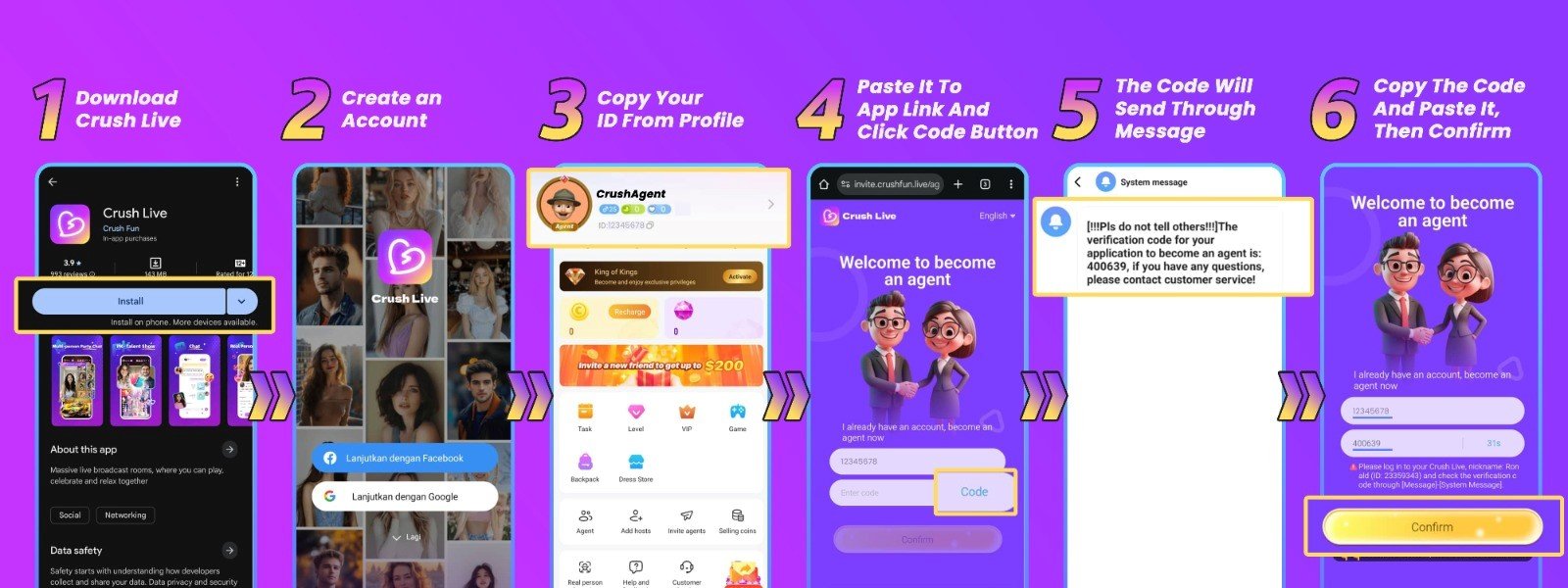
Agent Registration Tutorial
Get Crush Live on your phone.
Open the download link shared by your inviting agency. Follow it to Google Play or the App Store and install Crush Live.
Create your account.
Choose an available sign-up method using your own email or phone number.
Copy your Crush Live ID.
Open your profile and copy the number beneath your username. You’ll need it to connect your account to the agent registration form.
Request your agent verification code.
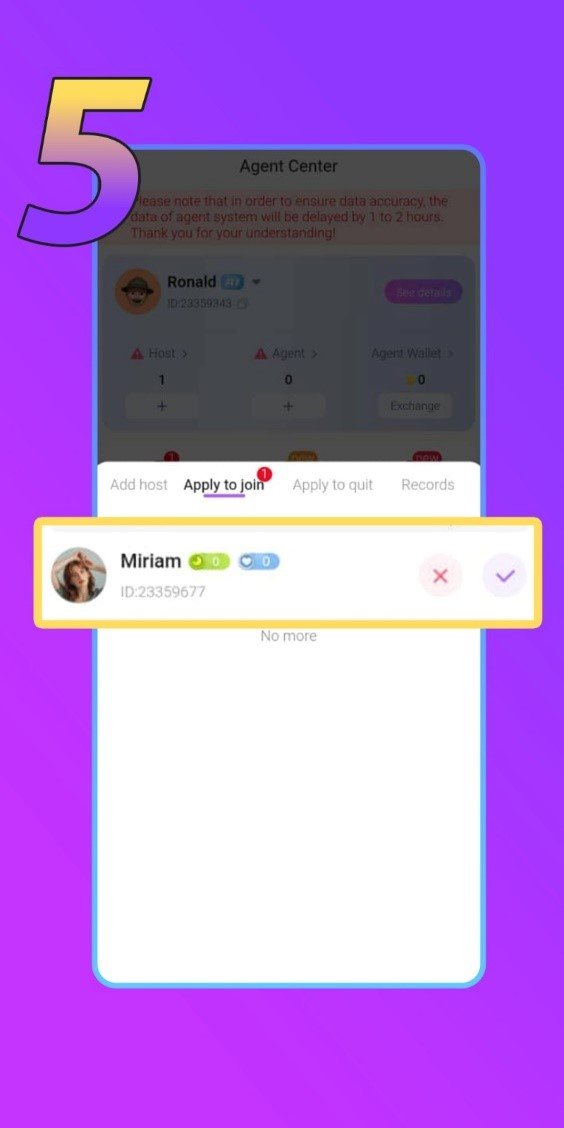
Open your agency registration link, paste your Crush Live ID, and tap Get Code. Find the code inside the app under Message → System Message.
Confirm your registration.
Return to the form, enter the code, and tap Confirm.
Crush Live Host Registration Tutorial
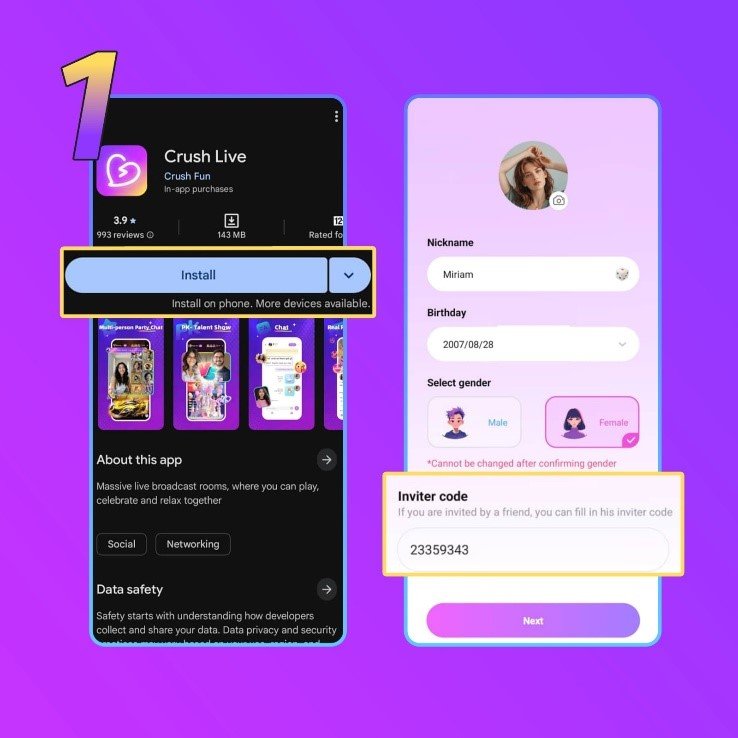
Download and sign up.
Install Crush Live through your chosen agency’s invite link, and then create your account.
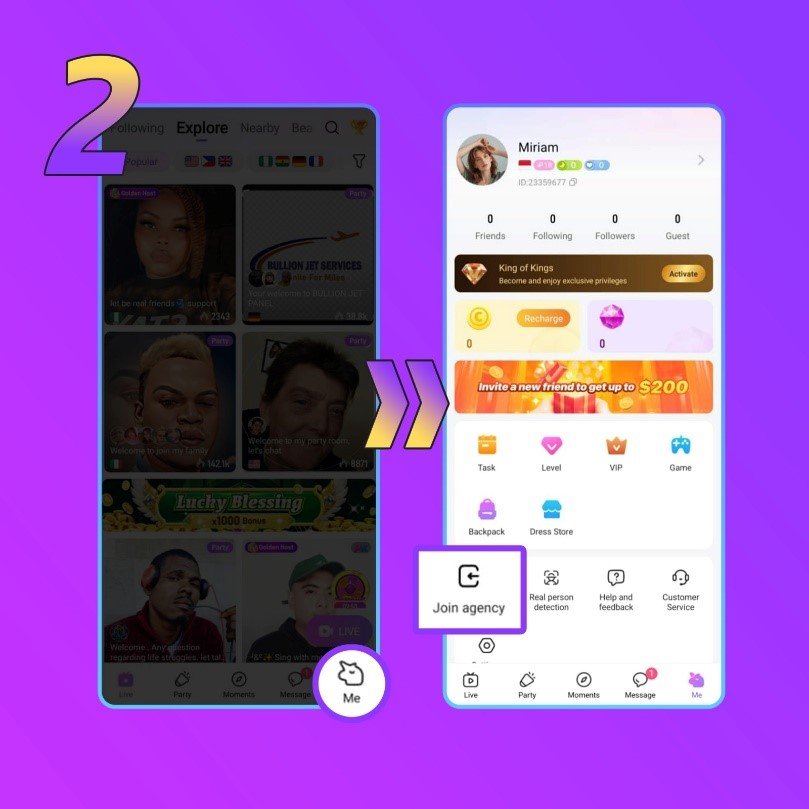
Find your agency.
Go to Me → Join agency. Enter the agent ID given by the agency you want to join, then tap Confirm and check the agency details.
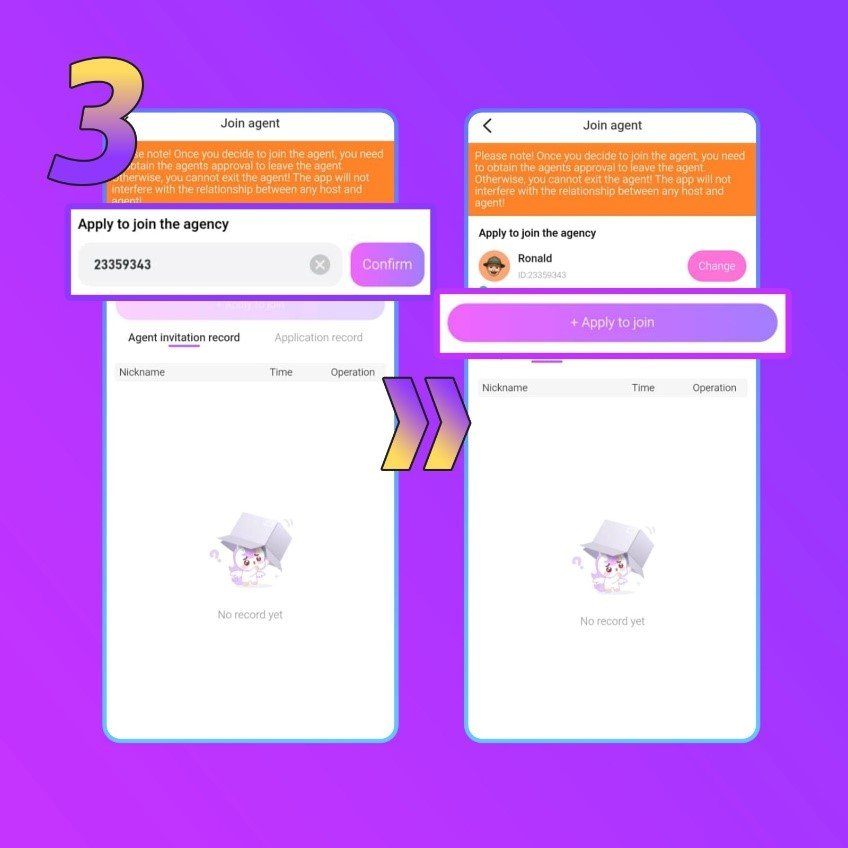
Send your application.
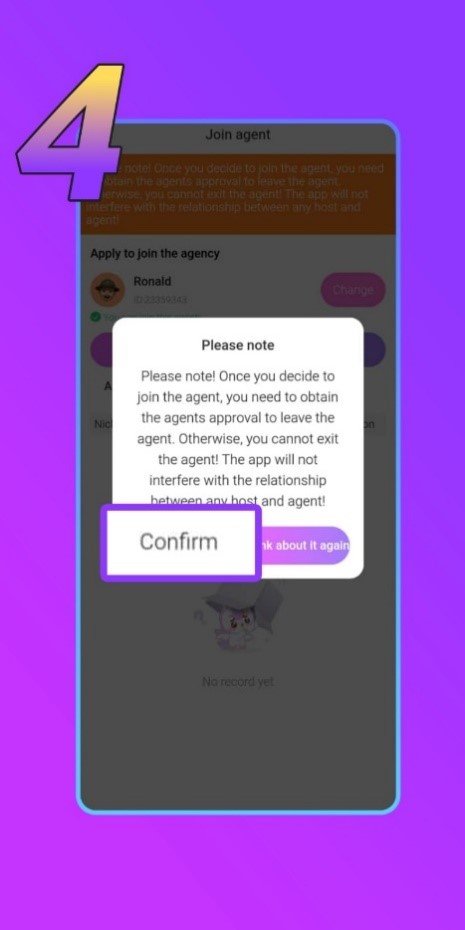
Tap Apply to join. Read the notice and confirm when you understand it.
Verify before you go live.
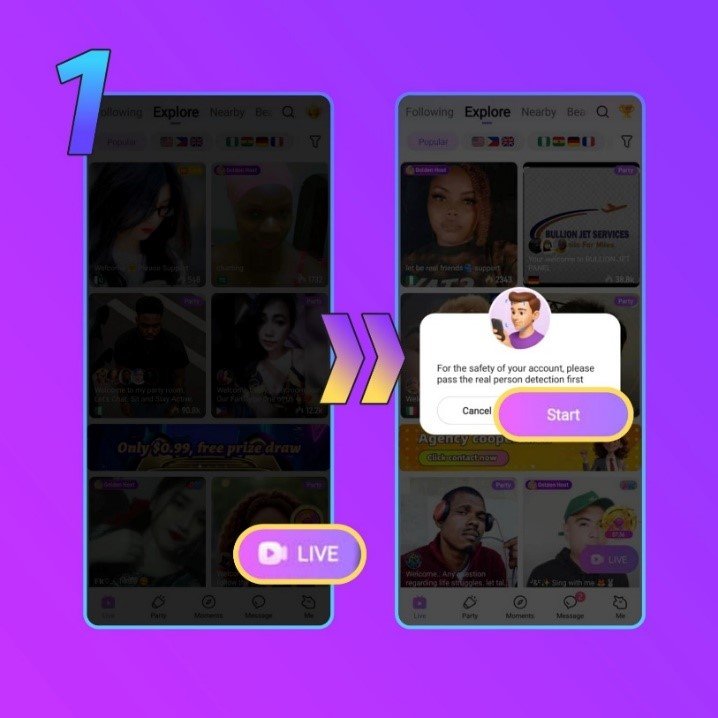
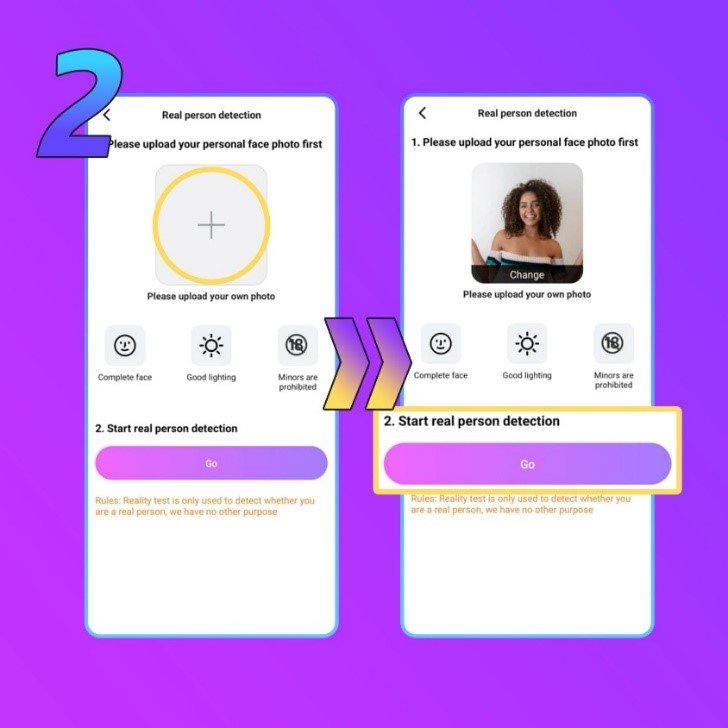
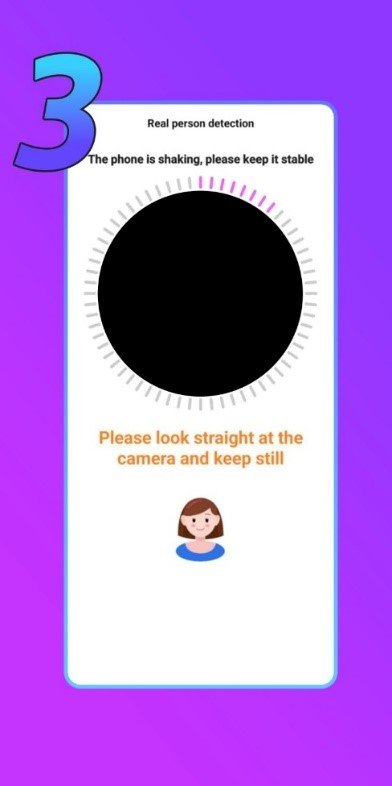
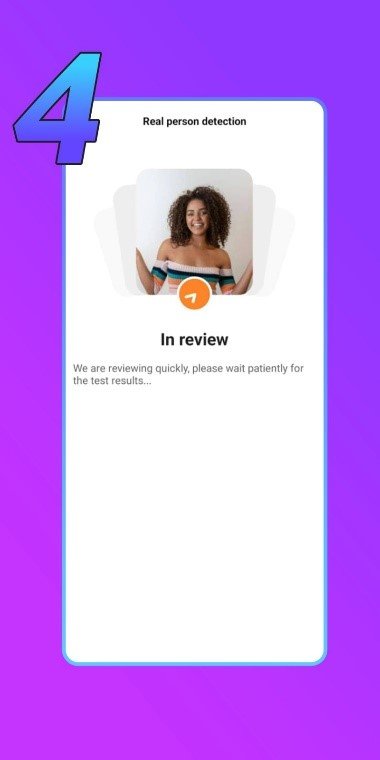
Go Live and follow the verification prompt. Submit your own photo and complete the video instructions.
Frequently Asked Questions
Should I register as an agent or a host?
Choose host if you want to go live and connect with viewers. Choose agent if you want to recruit and support a team of hosts.
How old do I need to be?
You must be at least 18 to join. Use accurate age and identity information when setting up your account.
Already have Crush Live? Do I need to start again?
You can use your existing account. Agents need their Crush Live ID for the registration form. Hosts can Join agency and apply with their chosen agent’s ID.
Where is my agent registration code?
Check Message → System Message in Crush Live, rather than your email or SMS. If it hasn’t arrived, check that you entered the correct Crush Live ID.
What if my agency code doesn’t work?
Check it for missing digits or errors, then ask your agency to confirm the code
Why do I need face verification?
Hosts need it before going live; agents need it before withdrawing. Use your own face and a matching profile photo.


